
AnyDesk is an application for Mac OS for remote connection to workstations, servers from mobile and desktop operating systems. Works on Mac, Linux, Windows, Android, iOS, Raspberry, FreeBSD. Undemanding to hardware resources and Internet speed. The guide will tell you what the utility is capable of, where to download AnyDesk for Mac for free, and how to install it.
AnyDesk Remote Desktop на OS X
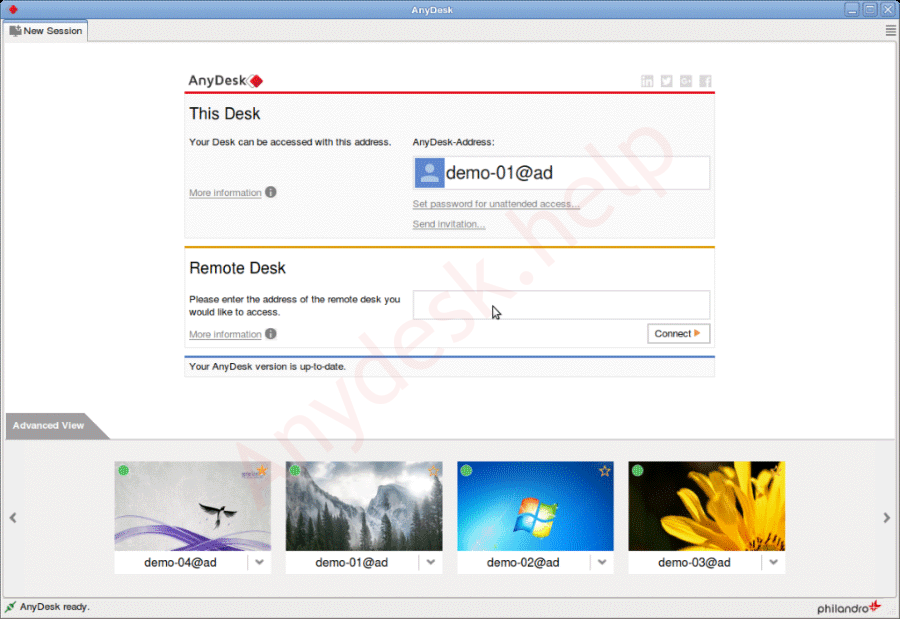
- AnyDesk program organizes cross-remote access to computers, mobile devices, laptops on supported platforms.
- A web version is available on the Macbook – it will allow you to remotely connect to a PC running AnyDesk through a browser.
- Provides the user with a picture with a frame rate of up to 60 fps with an Internet channel bandwidth of 100-200 kbps. AnyDesk’s analogs are not capable of this. All thanks to an exclusive development – the DescRT video codec.
- Document exchange is implemented through a two-pane file manager without drag-and-drop functionality.
- Built-in text chat for messaging and voice transmission simplify communication.
- Screen recording and screenshot functions allow you to save the history or images of the remote access session to the hard disk.
- The drawing board makes instructions and explanations clear.
Pros and cons of AnyDesk Remote Desktop
Connection security
The remote access application for Mac OS integrates connection protection using the TLS 1.2 standard used in the banking sector. Packets are encoded using RSA algorithm with 2048-bit keys. Even after intercepting data, attackers do not decode it. The Diffie-Hellman cryptographic protocol encrypts a connection that only two parties have decryption keys for.
Two-factor authentication will prevent accidental connections, hacks. The last line of defense is to open access to a limited number of devices at their address.
Instructions for installing Anydesk on MacOS
AnyDesk is installed on a PC from Apple through Homebrew – a package for installing free software.
First installation method:
- Open a terminal on your computer, run the command “brew install –cask anydesk”, wait for the operation to complete.
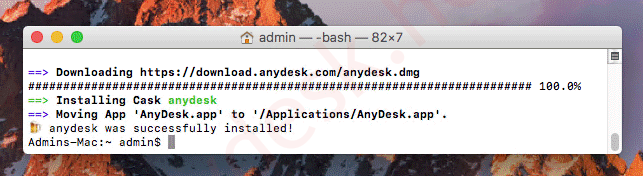
Command view in Mac OS terminal. - AnyDesk will download and install on your MacBook.
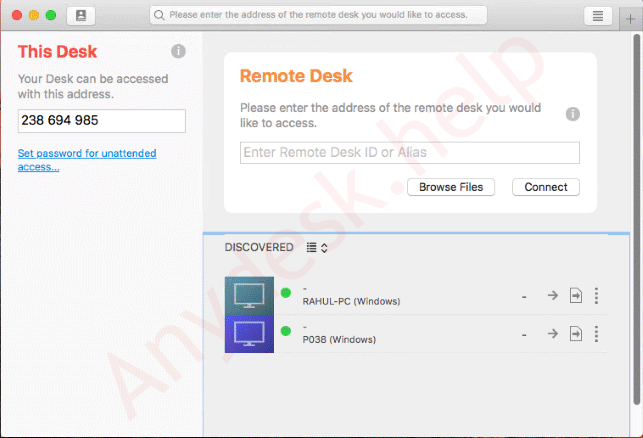
Second installation method:
Or the latest version from the official website:
- Download the file to your computer from the link below, then run it.
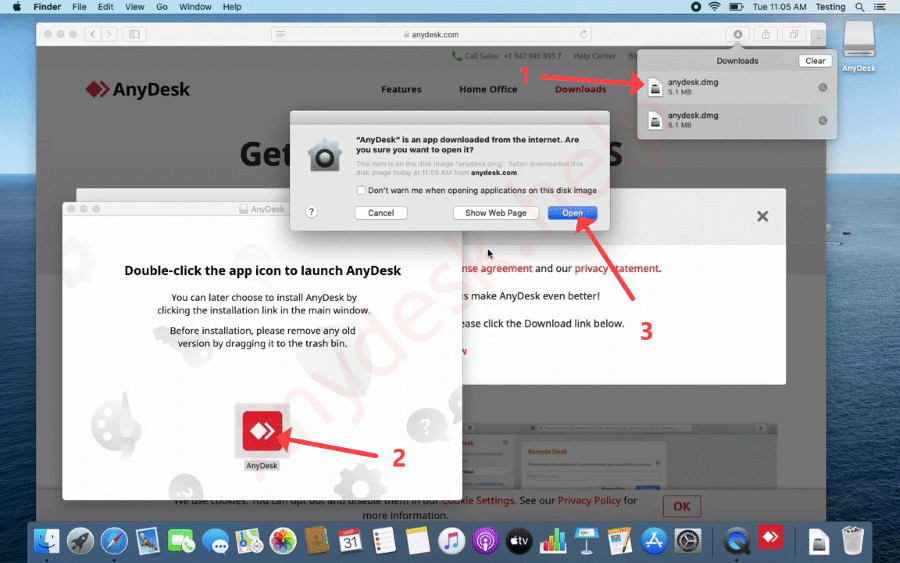
An alternative installation option through the graphical interface. - Double click on the icon of the application for remote access in the window that appears, click “Open”.
FAQ
Let us know if you have any questions, write them in the comments, we will try to help you remove them.
