
AnyDesk is a free utility for organizing remote access to computers for their administration and customer service. Ensures a secure and stable connection on slow internet connections. Allows you to record sessions, exchange files and messages. There are mobile (iOS, Android), desktop (Windows, FreeBSD, Linux, Mac) and online versions of AnyDesk (works without downloading).
How to launch the online version of AnyDesk
The web application was developed in 2019 and is still at the beta testing stage – there may be errors, malfunctions, problems, disconnections, lower quality of the transmitted image, etc. The online version will help in situations where the user cannot access the program installer, he does not have the rights to download and run third-party software.
Connection via a browser does not depend on the platform – you can control a remote machine regardless of the operating system installed on the dominant computer:
- To connect to the client via the web version of AnyDesk visit go.anydesk.com.
- Ask to launch the application on the PC.
- In the text form enter AnyDesk ID (identifier of the remote machine) and click “Connect”.
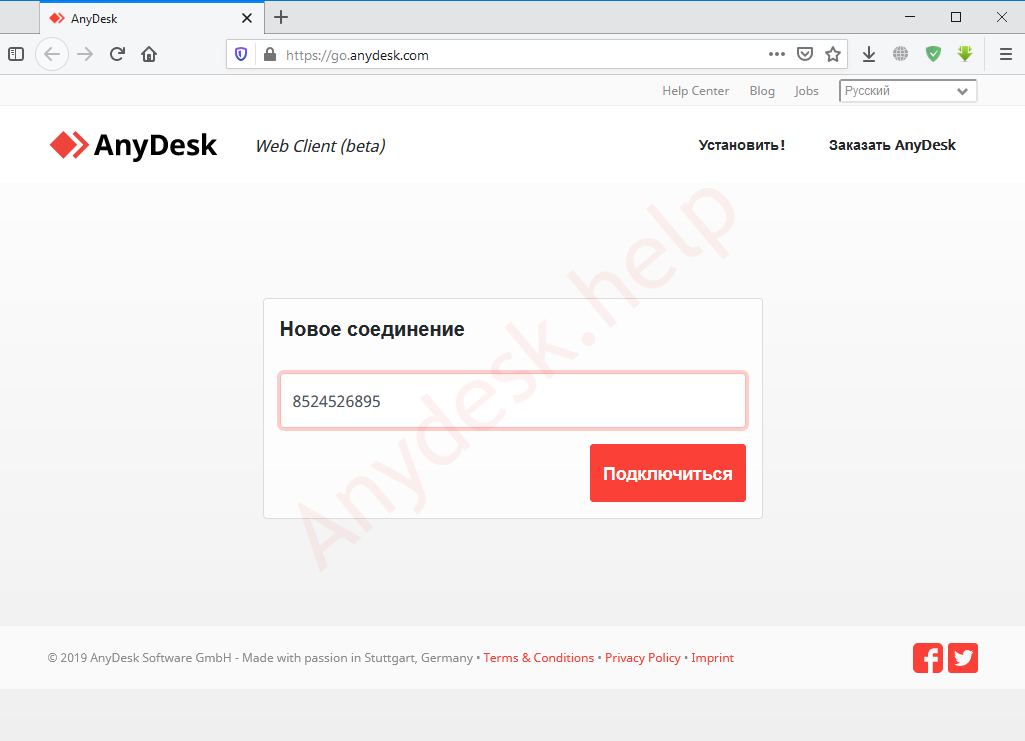
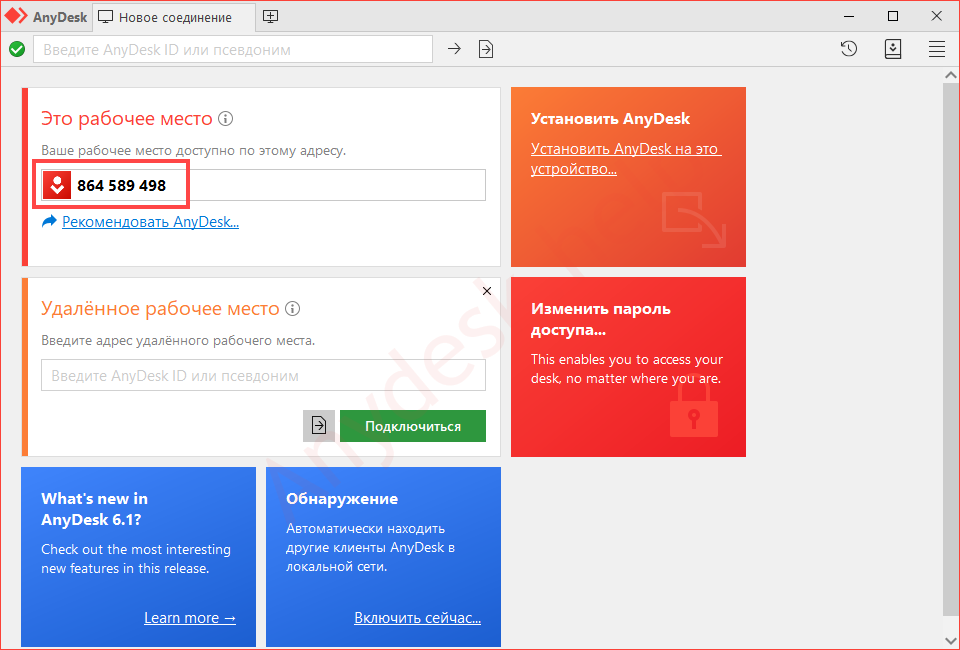
- Ask the owner of the remote computer for the ID. It is displayed in the AnyDesk window.
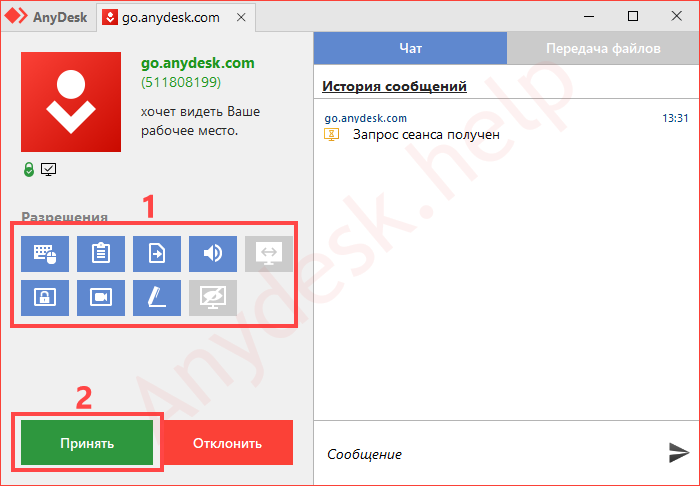
- A request will come with a list of permissions. On the slave machine, you need to decide on the access (read more in the article) and click “Accept”.
- After a couple of seconds, you will see the desktop of your client, home or business PC.
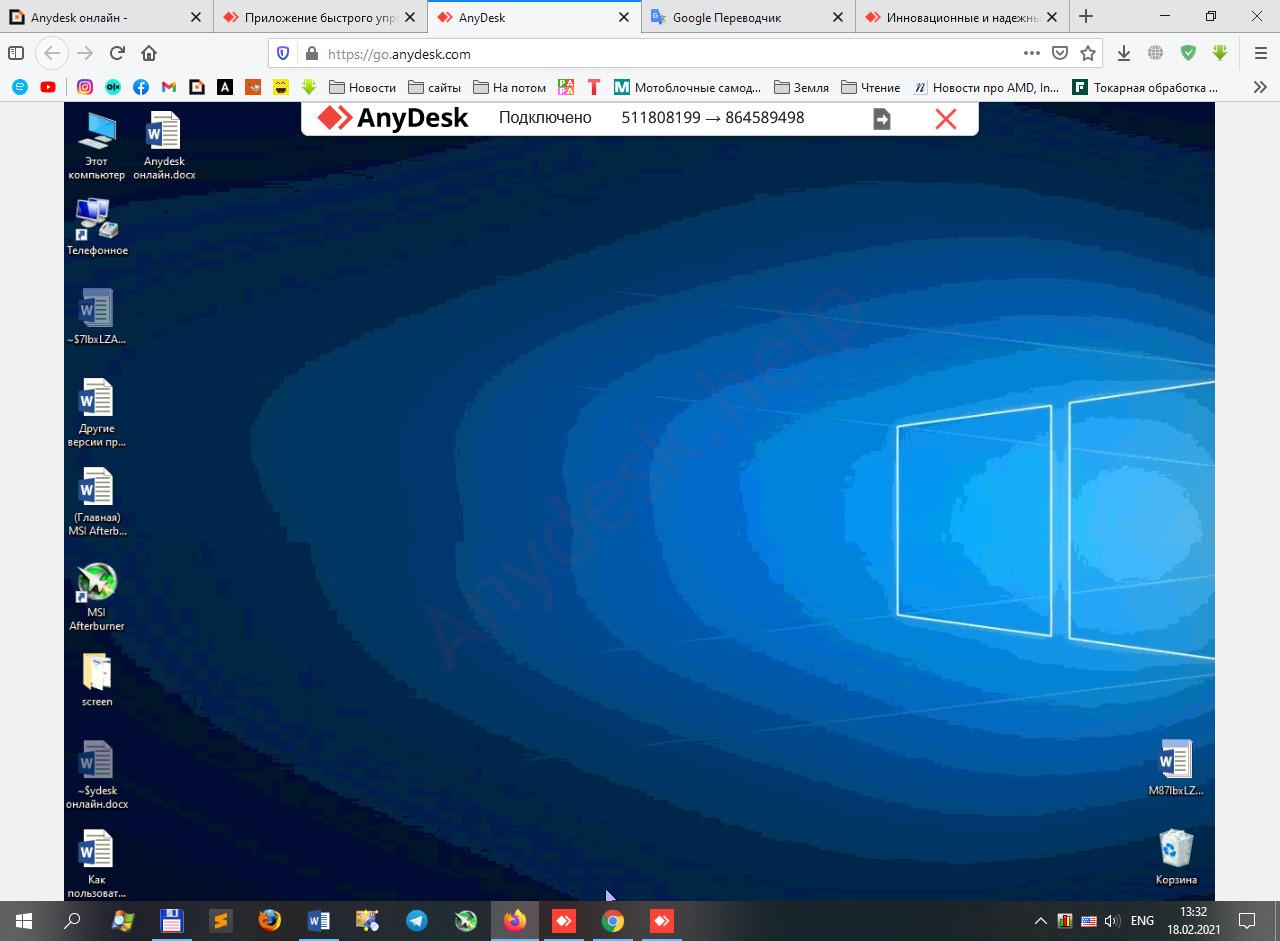
Remote desktop in the online version of the program.
AnyDesk Web version capabilities
The web application offers almost all the functions of a portable or installed program. Read more about them at the link.
Of the limitations of the online version, the following can be noted:
- uncontrolled access cannot be configured;
- there are no connection settings;
- session history and passwords are not stored;
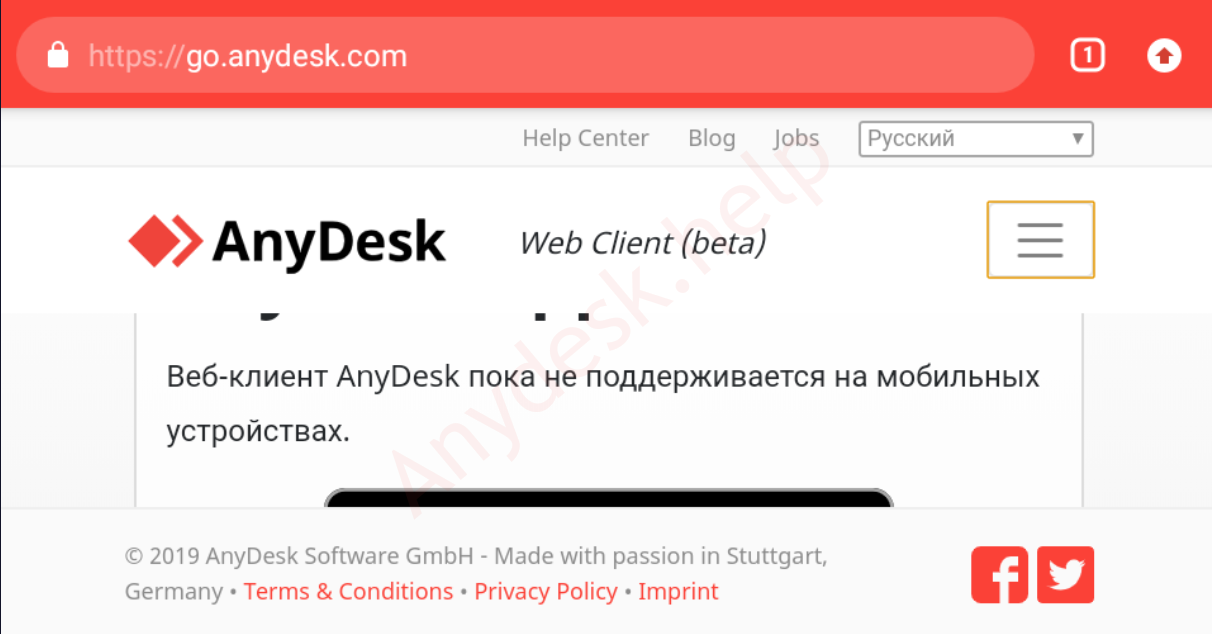
- not supported by mobile devices.
When you visit the web service, offers to buy the full version of AnyDesk
FAQ
You can ask your questions below, we will promptly supplement the material with answers to them.

Its really helpful. And most useful. Thanks for giving the wonderful tips. 💡 💡 😎 😎
who are you brother
Indian cary cary
Is it possible to change the position of the top bar – in Remotedesk on my Fedora host, the bar with important apps is hidden here?
Quando vou para página “go.anydesk.com” aparece conteúdo diferente do que está mostrando no item 3.
Hello,
How can I use free plan for anydesk web now?
The platform has changed and it not allows to connect remote desktop via web anymore using not license plan.
Hello thank you for developing this wonderful app.
I have some idea,
Anydesk notifies customers of remote device notifications.
If you can add this feature, I’m sure it will be great help. 😉
:ayy:
HELP
😉
How safe is this program? And, how do we know that are information is not being seen? by everybody, to see everything you type, and send, or text? There is no really safe apps or computer software or cell phones that are safe anymore no matter what you try to do to protect yourself from all the hackers and thieves these days……
Why Anydesk Web and online doesn’t work for free ?????
WTF???? How to connect throgh my.anydesk.com????Now go subdomain is not active! 👿 👿 👿
It’s not working
Didn’t work.
After registering didn’t find the client but on Desktop version connection was successfully.
I tried to connect the support as described on the page https://support.anydesk.com/knowledge/submit-a-ticket
and recieved login form. There I entered my credentions and see that it incorrect. But how if I copied the login/password and paste there few times?
What the stupid idiots developed this application???
You want money for this?? Really?
Not working anymore 👿 👿 👿
Currently it is not working.
Ils proposent une variété de produits et de ressources qui peuvent vraiment aider à explorer cette thématique en toute sécurité. Ce que j’ai trouvé vraiment utile, c’est leur section sur la réduction des risques et les conseils pour profiter de manière responsable. Ça pourrait être un bon complément à cet article !
for chromebook please…